
Custom Terminology has a refreshed editing experience
The Custom Terminology page, where you tailor the wording Talmundo uses to match your organisation, now runs on our modern interface. Each term shows its current value alongside the system default, you can edit and save terms in place, and a language switcher lets you set each term per language. Nothing moves: you will find it in the same place, just faster and easier to work with.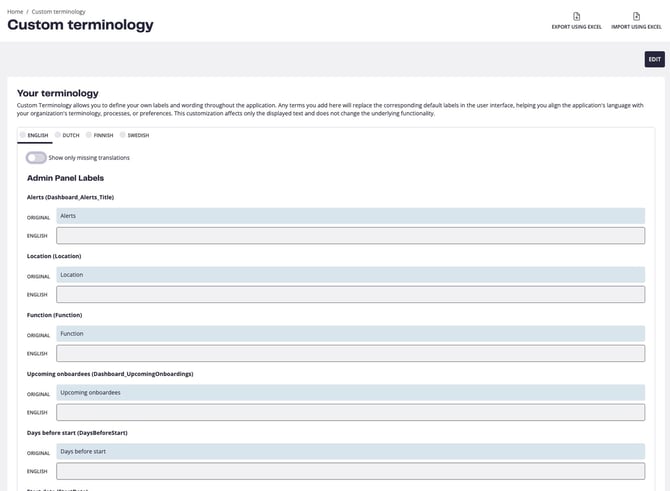
Your Contacts module shows your existing contact groups
When configuring the Your Contacts module, you will now see an info card listing the contact groups already set up in your organisation, so you have the full picture without switching back to Settings to check.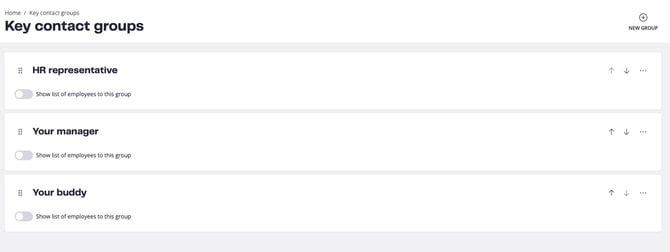
Bug fixes
This release clears a set of issues, several of them reported by customers and support. The most awaited: editing learning pages no longer triggers false "virus" or "upload failed" warnings, and saving a learning page title inline works again. We also fixed translations that were not saving for modules using newer content types, the task library returning no results when filtering by key contact group beyond the first page, onboarding emails that could time out and fail to send, and pulse check cards that still appeared on the dashboard when responses were set to hidden. We additionally closed a gap to further protect data between separate company accounts.Coming soon
We are continuing to modernise Boarding. The Key Contact Groups settings page has been rebuilt on the modern interface and will become available to you in an upcoming release, and a refreshed Boardee Profile page is on the way that brings the introduction, pulse checks, forms, and quizzes together in a clearer, more consistent view.
Questions or feedback? Reach out to boarding@support.talentech.com