
Improvements 🎯
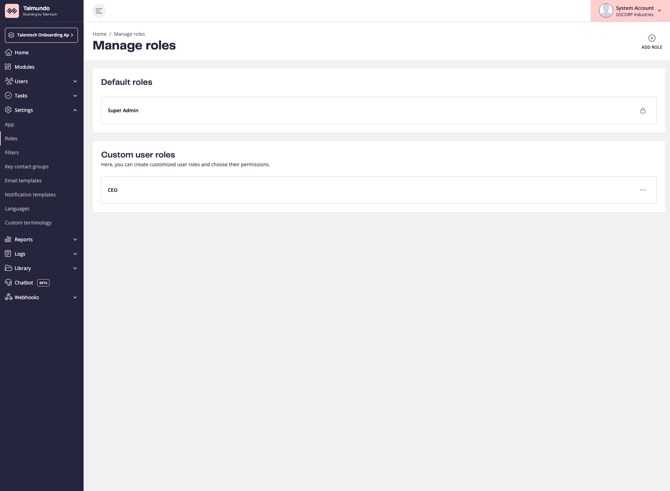
New Role pages: see who has each role
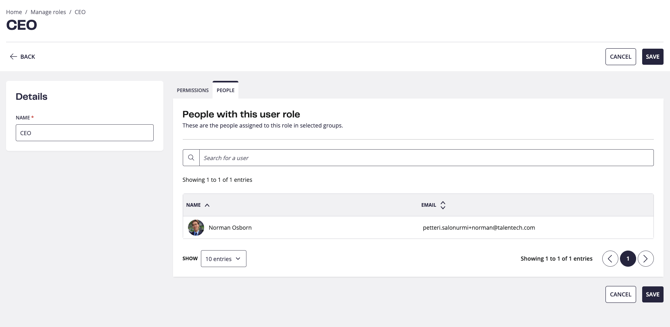
Admins can now see, right on the role, which users have it.
Before, the only way to find out was to go through the user list and check people one by one. The new People tab shows it in one place, which makes reviewing access much quicker, for example before changing what a role can do.
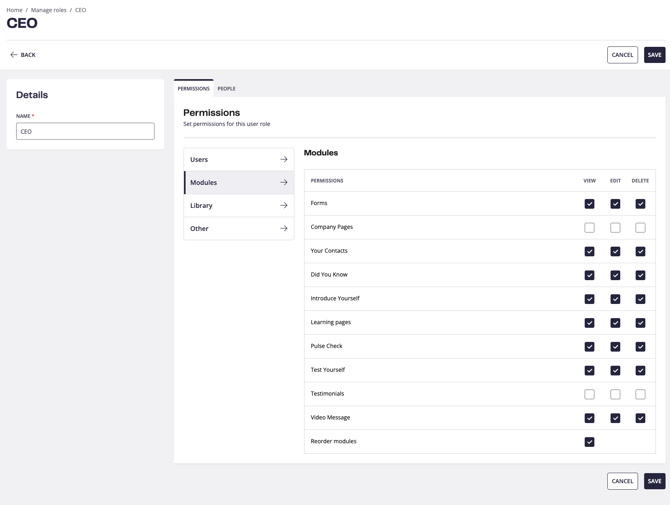
This comes with the Roles pages moving to the modern front-end: the Roles list and the create/edit page with Permissions and People tabs now match the rest of the rebuilt admin pages, and deleting a role gets a proper confirmation popup. The current Roles pages stay as the fallback while the switch is off.
Email templates: create from a popup
Creating an email template now happens in a popup on the Email Templates page, with the same options as before, so admins skip one page load. 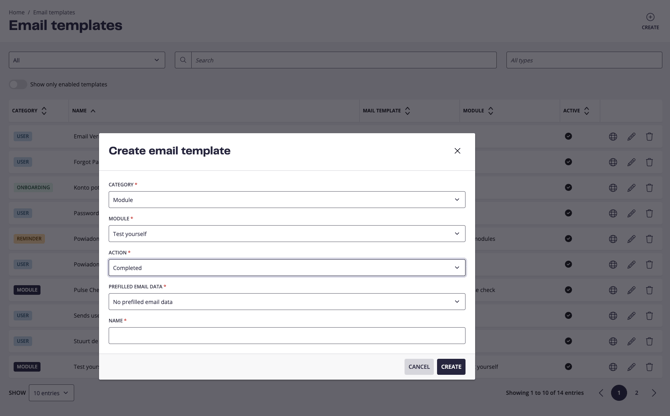
Users and boardees Excel import on the new front-end.
The new import page is built, and import results now show per-row errors, so admins can see exactly which rows failed and why instead of a single failure message 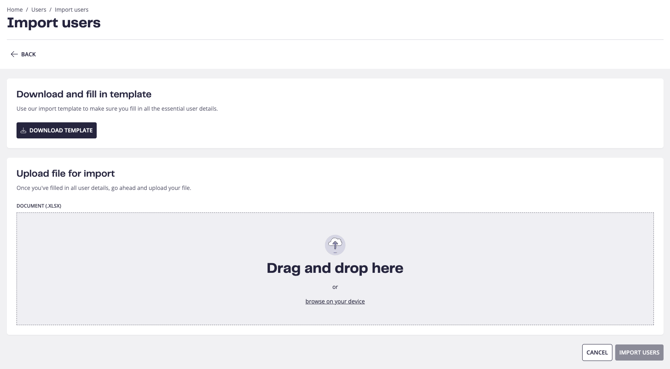
Please note that these new pages will be rolled out to customers gradually. If you do not see the changes in your app yet, it means the pages have not been released to your environment and will become available at a later stage.
Bug Fixes🐞
Learning pages keep their schedule when edited. Opening and saving a learning page module that had old fixed dates stored could quietly switch it to those past dates and hide the content from boardees. The editor now respects the module's actual setting.
Coming next
Release 142 starts the next ATS to boarding step: the foundation for bringing new hires from the ATS into Talmundo through the Evaluation API, starting with Varbi, where a hire arrives as a draft boardee ready to be completed. It is the groundwork for a smoother ATS to boarding journey across the Talentech portfolio. Alongside that, the new users and boardees Excel import pages start their rollout, Notification Templates move to the modern front-end, and names on task and contact views become clickable, so admins can jump straight to the person.