
New Dashboard
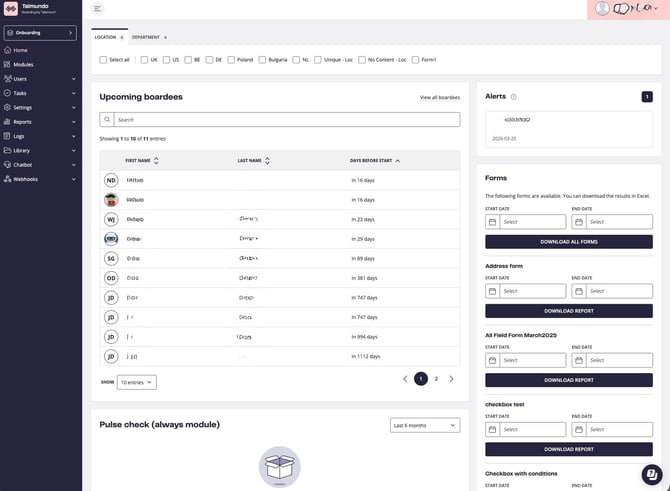
The polished up and improved dashboard is now live! This update gives the dashboard a refreshed look, while also bringing the filters to the front page as well. Users now have much more control over what they see on their dashboard.
New User Page
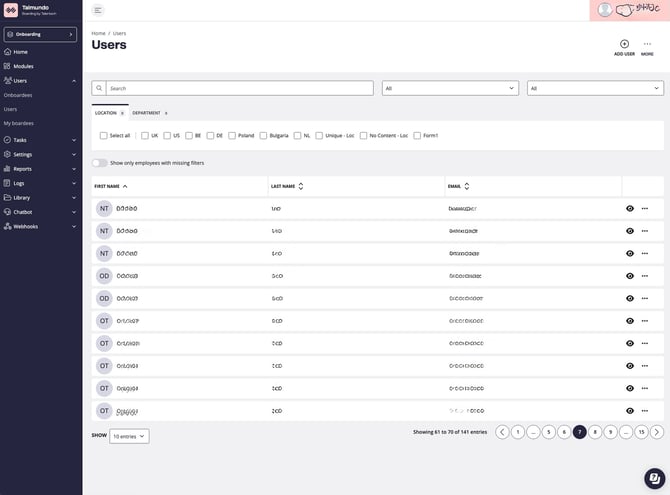
The Users page has received a significant facelift with this update. The features are the same, but this release aligns the view with our new look & feel. In addition to the face-lift, this update improves the accessibility of the view.
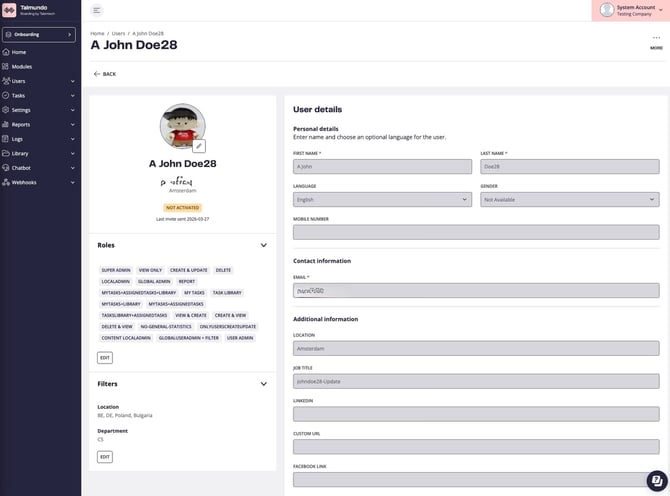
Additionally, a similar update has been done for the actual user page. The design aligns with the other updates we have done over the past months for other views.
Customer data export
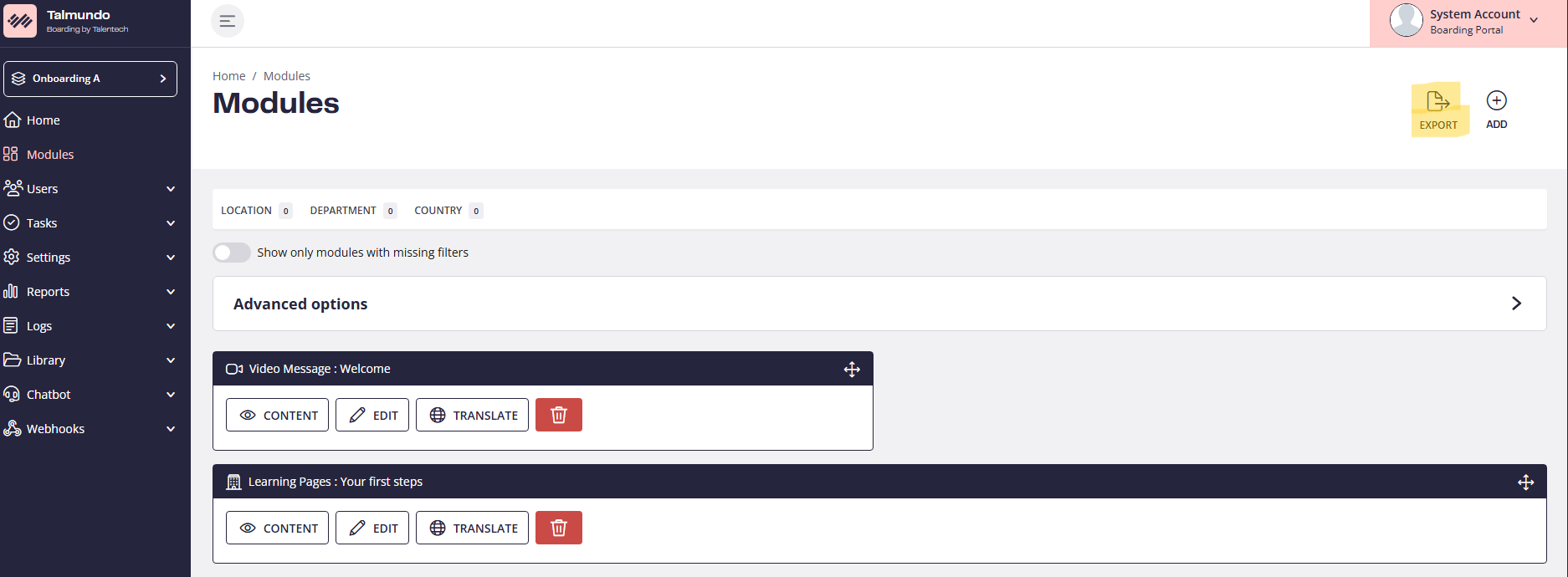
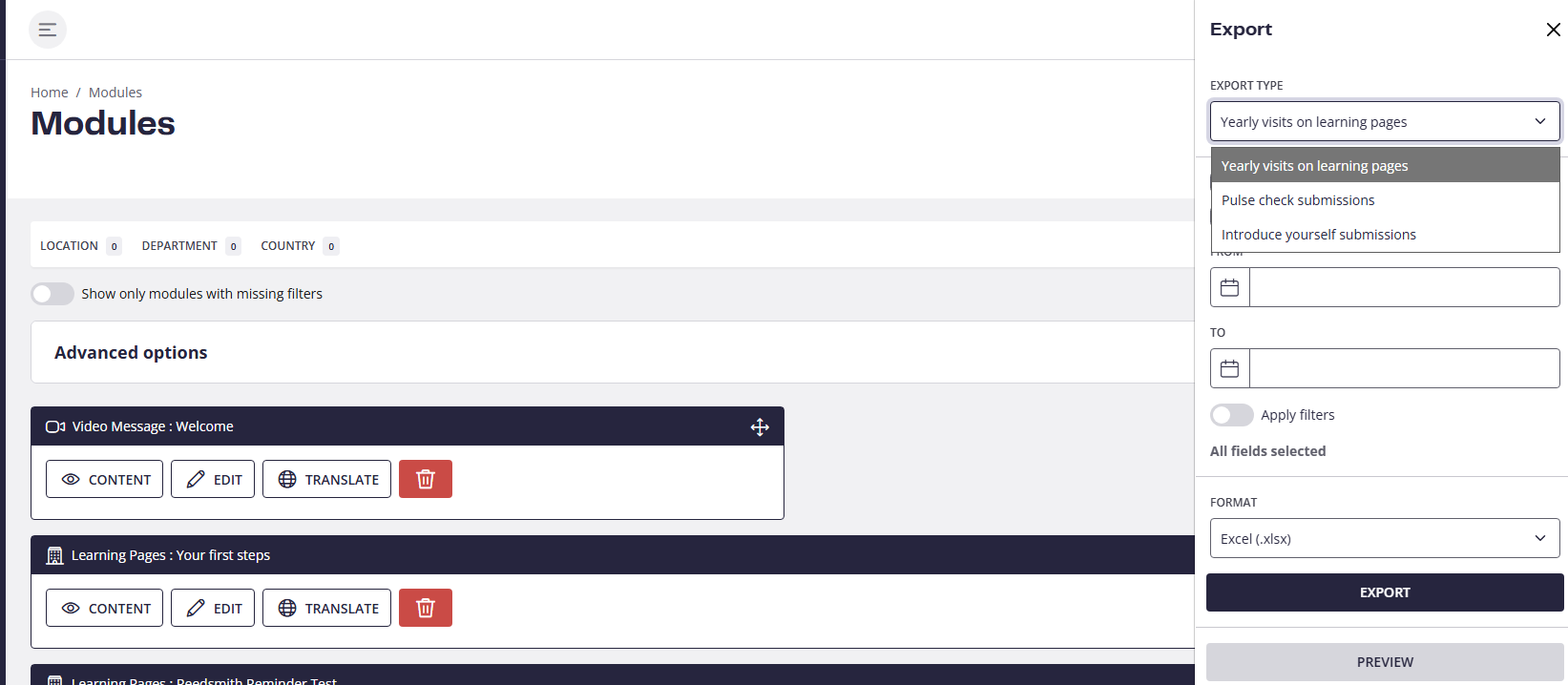
Customers can export data regarding their modules from the modules page. This includes pulse checks, submissions, Introduce yourself surveys, and Learning page popularity.
For more details regarding this new feature , click here.
Role Permissions - Library View
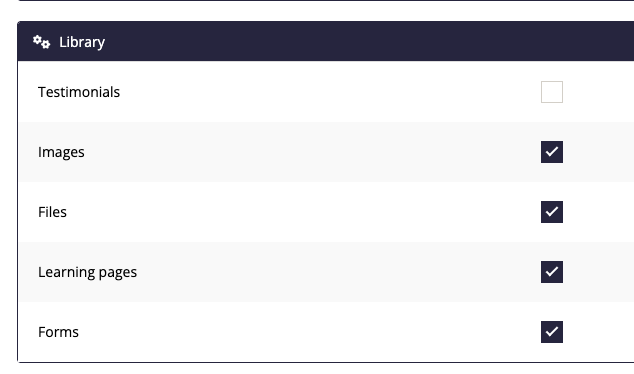
This setting is found in the user role settings under “Library” and adjusts which library items are viewable (& editable) by the role.
If you have doubts, questions or feedback regarding these new improvements do not hesitate to reach to to boarding@support.talentech.com
The polished up and improved dashboard is now live! This update gives the dashboard a refreshed look, while also bringing the filters to the front page as well. Users now have much more control over what they see on their dashboard.
New User Page
The Users page has received a significant facelift with this update. The features are the same, but this release aligns the view with our new look & feel. In addition to the face-lift, this update improves the accessibility of the view.
Additionally, a similar update has been done for the actual user page. The design aligns with the other updates we have done over the past months for other views.
Customer data export
Customers can export data regarding their modules from the modules page. This includes pulse checks, submissions, Introduce yourself surveys, and Learning page popularity.
For more details regarding this new feature , click here.
Role Permissions - Library View
This setting is found in the user role settings under “Library” and adjusts which library items are viewable (& editable) by the role.
If you have doubts, questions or feedback regarding these new improvements do not hesitate to reach to to boarding@support.talentech.com