
Please begin by watching the following video tutorial.
Further down the page you will find a complete step-by-step breakdown of the tutorial.
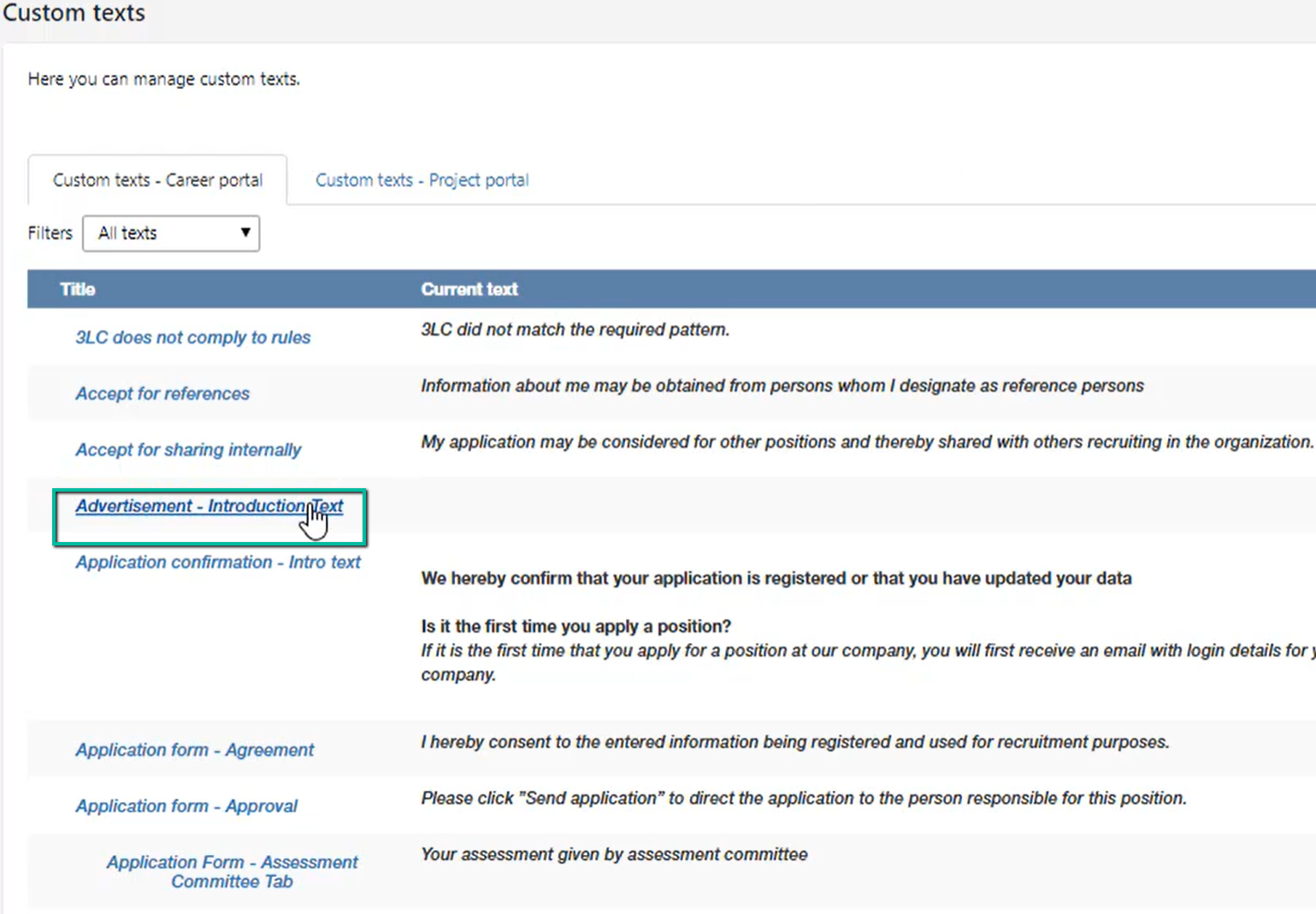
You can change the company introduction text, which is shown in the advertisement, by editing ‘Advertisement – Introduction Text'. Click on the name or on ‘Edit’ to the right:
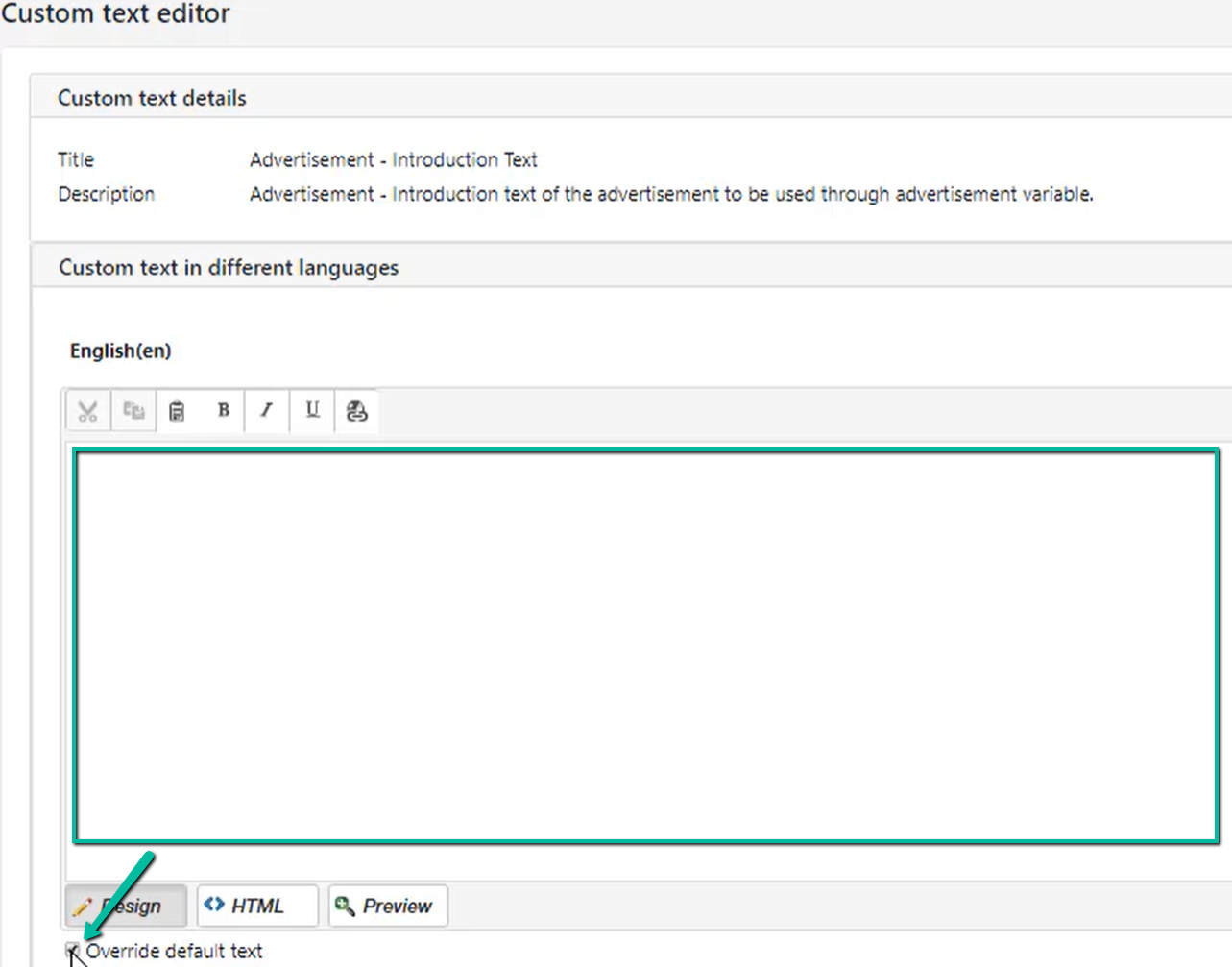
If you want to change or add text, first tick the box ‘Override default text’ on the language you wish to edit. The editing window will then become active:
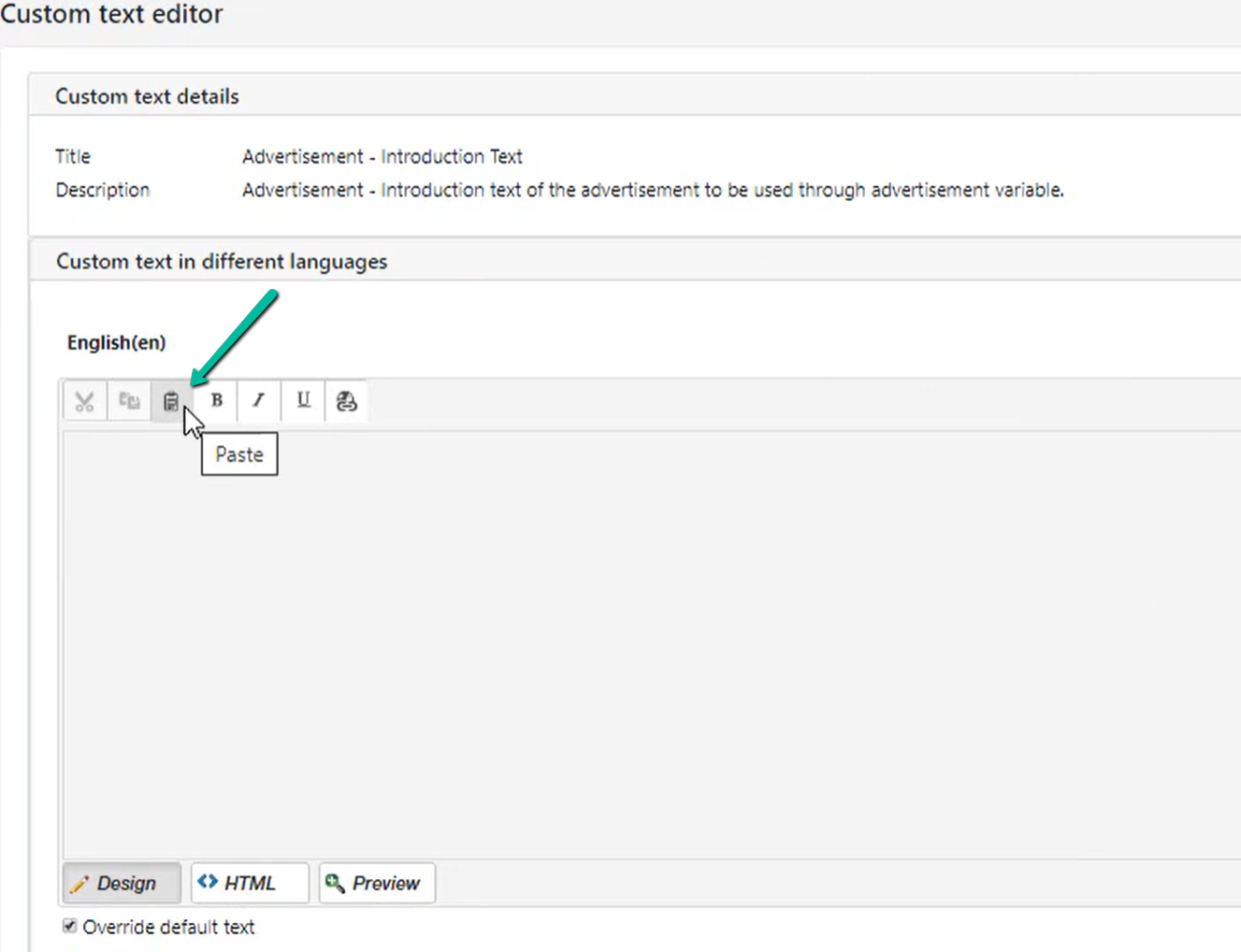
Make sure to use the small ‘Paste’-option, if you copy from Word, from a homepage, or from pdf. This will ensure that any text formatting will be removed.
You can now add bold, italic, and underline in the text. Remember to click ‘Save’ in the lower right corner:
You can also edit the consent forms in the same way. Make a search on consent in the quick search field:
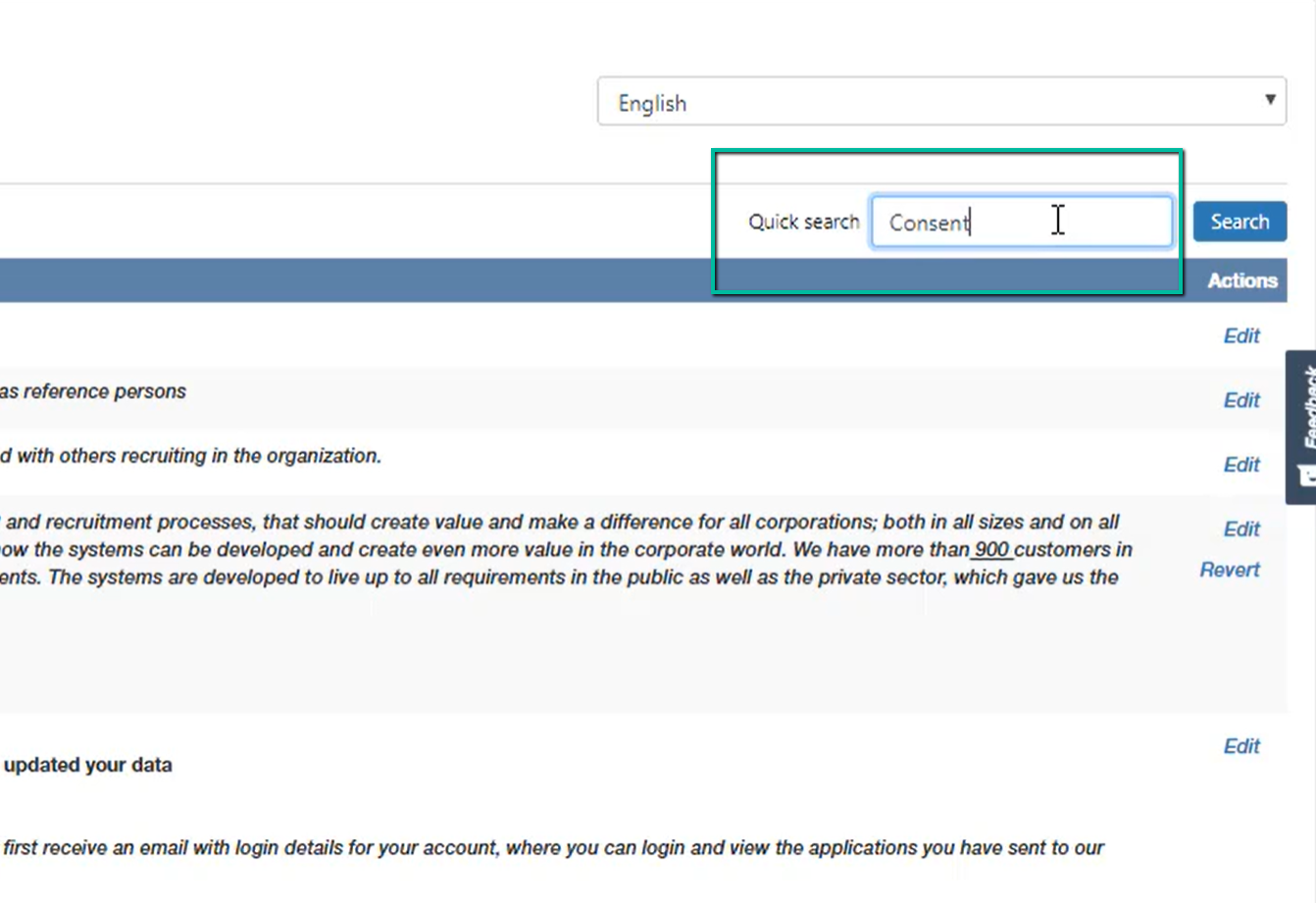
You will now be able to edit the text of ‘Consent text for job agent´, ‘Consent text for the application form’ and ‘Privacy policy (new)’: